

Laptop: Definition, Examples, Types & Brands
A laptop is a portable personal computer that combines a screen, keyboard, touchpad, processor, memory, storage and rechargeable battery into one compact device. Examples include the HP Pavilion, Dell Latitude, Lenovo ThinkPad, Apple MacBook Air, ASUS Vivobook and Acer Aspire. Laptops are available in several types, including traditional notebooks, ultrabooks, gaming laptops, business laptops, 2-in-1 convertibles and mobile workstations.
Their development began with early portable computers in the 1980s, leading to the lightweight systems used for education, office work, entertainment and professional applications today. In the UAE, everyday laptops generally occupy retail price ranges of AED 1,500–5,000, while premium gaming and professional models can cost considerably more.
The UAE's growing e-commerce sector supports online laptop sales, with manufacturers such as HP, Dell, Lenovo, Apple, ASUS and Acer represented through retailers and wholesalers. Companies including Crown Excel supply laptops and IT hardware to resellers, corporate buyers and businesses purchasing in bulk.
What Is Laptop?
A laptop is a portable computer designed to perform the functions of a desktop computer while allowing users to work from different locations. It combines essential computing hardware, including a central processing unit (CPU), random access memory (RAM), storage, display, keyboard, touchpad and rechargeable battery, within a single compact structure. Most modern laptops use operating systems such as Microsoft Windows, macOS, Linux or ChromeOS and support activities such as document creation, internet browsing, programming, video conferencing and multimedia editing.
What Is Laptop In Short Answer?
A laptop is a portable, battery-powered personal computer with a built-in screen, keyboard and processing components that allows users to work, study and access digital applications from different locations.
What Are The Examples Of Laptop?
Examples of laptops include HP Pavilion, HP EliteBook, Dell Inspiron, Dell Latitude, Lenovo IdeaPad, Lenovo ThinkPad, Apple MacBook Air, Apple MacBook Pro, ASUS Vivobook, Acer Aspire, MSI Katana and Microsoft Surface Laptop. These models are designed for different activities, including everyday computing, business, gaming and professional work.
What Is Laptop In Computer?
A laptop is a type of personal computer that integrates the main components of a desktop system into a portable, foldable design. It performs computing functions such as processing data, running software, storing files and connecting to networks. Unlike a conventional desktop computer, a laptop usually includes its own display, keyboard, pointing device and battery, allowing it to operate without permanently connected external peripherals or a power outlet.
What Are The Types Of Laptop?
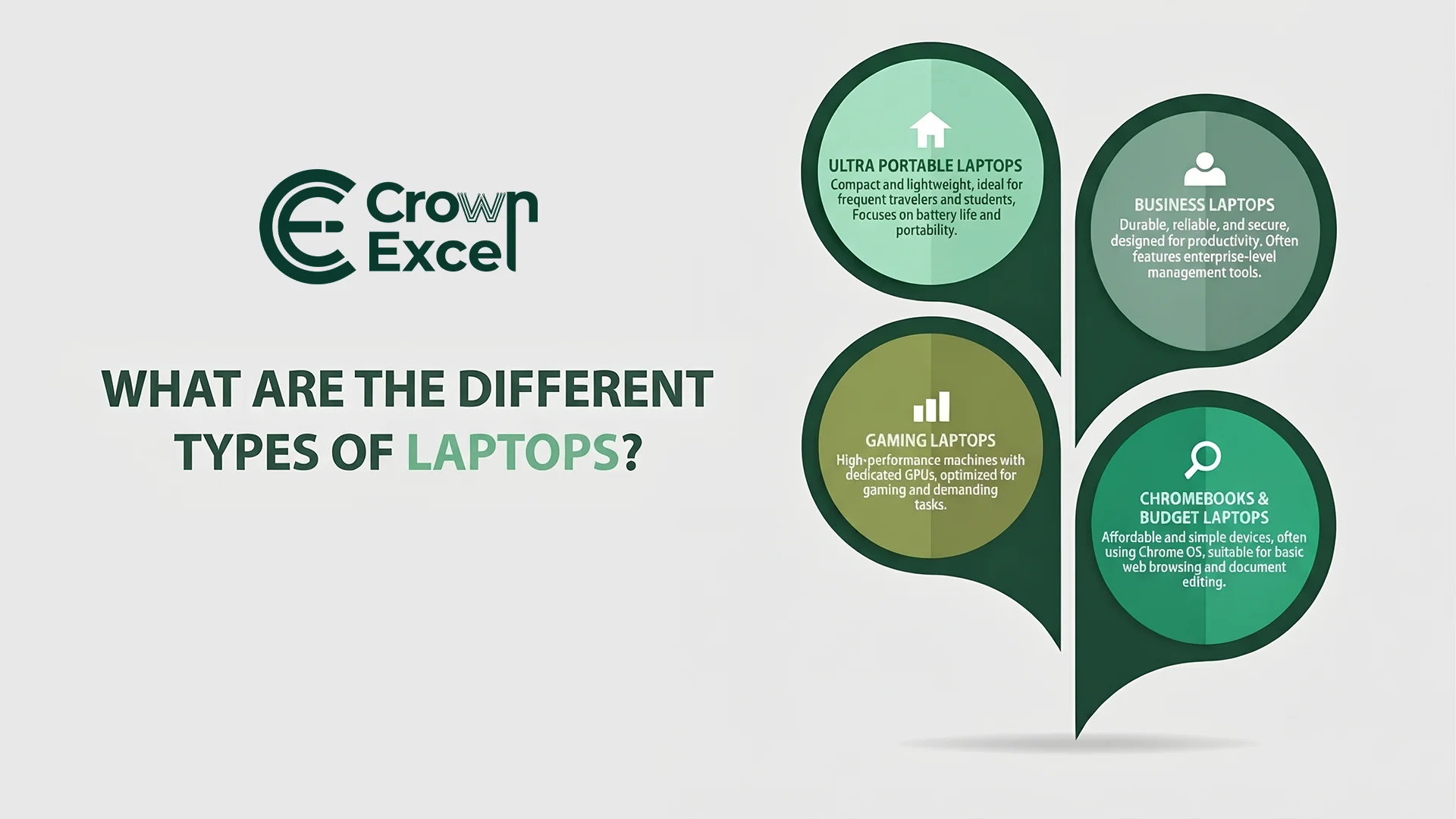
The types of laptops include traditional laptops, ultrabooks, gaming laptops, business laptops, 2-in-1 laptops, Chromebooks and mobile workstations. They are commonly classified according to their design, processing capabilities, operating systems and intended applications. Some are built for portability and battery efficiency, while others prioritize graphics performance, business security or specialized professional software.
The main types of laptops are:
Traditional Laptops: General-purpose portable computers designed for internet browsing, document editing, entertainment and everyday activities.
Ultrabooks: Thin, lightweight laptops that emphasize portability, power efficiency and battery life.
Gaming Laptops: High-performance computers equipped with capable processors, graphics hardware and cooling systems for gaming and graphics-intensive tasks.
Business Laptops: Computers designed for office productivity, reliability, security, manageability and professional applications.
2-in-1 Convertible Laptops: Laptops with touchscreens and flexible hinges that allow switching between traditional laptop and tablet-style operation.
Detachable Laptops: Portable computers with removable keyboards, allowing the display to function independently as a tablet.
Chromebooks: Laptops running ChromeOS, commonly used for web-based applications, education and cloud-connected work.
Mobile Workstations: Professional laptops designed for demanding applications such as computer-aided design, engineering, 3D rendering and scientific modelling.
Budget Laptops: Affordable computers with basic configurations suitable for browsing, studying and routine office tasks.
Creator Laptops: Computers optimized for content creation, including graphic design, photography, video editing and digital media production.
Rugged Laptops: Reinforced portable computers designed to withstand environmental conditions such as dust, vibration, moisture or physical impacts within specified protection limits.
AI-Enabled Laptops: Computers featuring hardware for accelerating compatible artificial intelligence workloads, often including a neural processing unit (NPU).
What Is The History Of Laptop?
The history of laptops began with the development of portable computing systems during the late 1970s and early 1980s. One important early model was the Osborne 1, introduced in 1981 by Osborne Computer Corporation. It weighed approximately 10.7 kilograms and included a small display, keyboard and floppy disk drives. Although portable compared with desktop systems of its time, the Osborne 1 required external electrical power and did not have the compact design associated with modern laptops.
In 1982, GRiD Systems Corporation introduced the GRiD Compass, an early commercial laptop featuring a folding clamshell design, integrated display and keyboard. This arrangement influenced the physical structure of modern laptops. Toshiba later introduced the T1100 in 1985, an early battery-powered IBM PC-compatible portable computer that helped establish the practical laptop market.
During the 1990s, laptops became more accessible as manufacturers improved LCD screens, rechargeable batteries, processors and storage technology. Companies such as IBM, Toshiba, Compaq and Apple contributed to the development of portable personal computers. The adoption of wireless networking and more efficient processors during the 2000s further increased laptop mobility.
Modern laptops have evolved into thinner and more powerful devices with solid-state drives, high-resolution displays, multicore processors, USB-C connectivity and advanced battery management. Some models also include dedicated graphics processors and specialized AI-processing hardware. These developments have expanded laptop applications from basic office tasks to professional design, gaming, scientific computing and enterprise operations.
What Are The Parts Of Laptop?
The main parts of a laptop include the processor, motherboard, RAM, storage drive, display, keyboard, touchpad, battery, graphics processor and cooling system. These components work together to process information, execute software, store files, receive input and display results. Unlike desktop computers, most laptop components are integrated into a compact enclosure.
The main laptop hardware components are:
Central Processing Unit (CPU): Executes instructions, performs calculations and manages computing operations.
Motherboard: Connects the processor, memory, storage and other internal components.
Random Access Memory (RAM): Temporarily stores information needed by active applications and processes.
Solid-State Drive (SSD): Provides non-volatile storage for the operating system, applications and user files.
Hard Disk Drive (HDD): Stores data magnetically in older or selected laptop designs.
Graphics Processing Unit (GPU): Processes graphical information and accelerates supported computing applications.
Display Screen: Presents images, text, videos and application interfaces.
Keyboard: Allows users to enter text, numbers and commands.
Touchpad: Controls the pointer and supports gestures without requiring an external mouse.
Rechargeable Battery: Stores electrical energy for operating the laptop away from a power outlet.
Power Adapter: Converts external electrical power into a suitable supply for operating and charging the laptop.
Cooling Fans: Help remove heat generated by internal components.
Heat Sinks and Heat Pipes: Transfer heat away from processors and other temperature-sensitive components.
Wireless Network Adapter: Provides Wi-Fi connectivity and, in many systems, Bluetooth support.
Webcam: Captures video and images for communication and recording.
Microphone: Receives audio input for calls, voice commands and recording.
Speakers: Produce sound from applications, videos and other digital media.
USB Ports: Connect compatible peripherals, external storage devices and accessories.
HDMI or Display Output: Connects the laptop to compatible external monitors and projectors.
Audio Connector: Supports compatible headphones, headsets and other audio equipment.
BIOS or UEFI Firmware: Initializes hardware and supports the operating system startup process.
Battery Management Circuitry: Controls charging, power distribution and battery protection functions.
Display Hinges: Connect the screen to the laptop body and enable opening and closing.
Chassis or Enclosure: Houses and protects the laptop's internal hardware.
What Are The Average Prices Of Laptop?
Laptop prices in the UAE commonly range from approximately AED 1,500 to AED 5,000 for everyday and mainstream models, while premium business laptops, gaming systems and mobile workstations can exceed AED 5,000 and sometimes cost more than AED 10,000.
These are indicative retail price bands rather than a statistically calculated average for all laptops sold in the country. Prices depend on the brand, processor, memory, storage, graphics hardware, display, warranty and product generation.
Typical UAE laptop retail price ranges include:
Budget Laptops — AED 1,000–2,000: Entry-level laptops suitable for basic browsing, document editing, online learning and light office tasks.
Mid-Range Laptops — AED 2,000–3,500: Computers with stronger processors, more memory and SSD storage for everyday productivity and multitasking.
Premium Everyday Laptops — AED 3,500–5,000: Lightweight or higher-specification computers offering improved displays, performance and build quality.
Gaming Laptops — AED 3,000–10,000+: Computers with gaming-oriented processors and, in many models, dedicated NVIDIA or AMD graphics hardware.
Business and Professional Laptops — AED 3,000–8,000+: Systems with business-oriented security, management features, extended support options or professional performance.
Mobile Workstations — AED 5,000–15,000+: Professional computers designed for engineering, advanced design, 3D modelling and other resource-intensive workloads.
What Is The Difference Between Notebook And Laptop?
The difference between a notebook and a laptop is mainly historical terminology and design emphasis. Traditionally, notebook computers referred to smaller, thinner and lighter portable computers, while laptops described a broader category that could include larger and more powerful machines. Today, manufacturers and retailers frequently use both terms interchangeably because modern laptops generally combine portability with full personal computing capabilities.
The following table explains their traditional differences.
| Feature | Laptop | Notebook |
|---|---|---|
| Definition | General portable personal computer | Traditionally a compact portable computer |
| Size | Includes compact and large models | Traditionally smaller and thinner |
| Weight | Varies according to design | Traditionally emphasizes low weight |
| Performance | Ranges from basic to high-performance | Also ranges from basic to high-performance |
| Graphics | May include integrated or dedicated GPUs | May include integrated or dedicated GPUs |
| Battery | Depends on hardware and usage | Depends on hardware and usage |
| Usage | Everyday, gaming, business and professional work | Commonly associated with mobile productivity |
| Modern terminology | Broadly used for portable PCs | Frequently used as a synonym for laptop |
How Laptop Is Different From Desktop Computer?
A laptop differs from a desktop computer mainly in portability, component integration, power consumption and upgrade flexibility. A laptop combines its screen, keyboard, processing components and battery into one portable device, while a conventional desktop computer usually requires separate input and display peripherals.
Desktop computers often provide more room for cooling and component upgrades, whereas laptops prioritize compact construction and mobility.
| Feature | Laptop | Desktop Computer |
|---|---|---|
| Portability | Portable | Usually stationary |
| Power Source | Battery and external power | Typically external power |
| Display | Built-in screen | Usually separate monitor |
| Keyboard | Built-in keyboard | Usually external keyboard |
| Cooling | Compact cooling system | More space for cooling hardware |
| Upgradability | Often limited by design | Generally more flexible |
| Performance | Depends on model and power limits | Often allows higher sustained performance at comparable price |
| Space Requirements | Compact | Requires desk space |
| Repairability | Varies considerably by model | Components are generally easier to replace |
What Are The Uses Of Laptop?
Laptops are used for education, business, communication, entertainment, programming, digital content creation and professional applications. Their portability allows users to access documents, software and online services from homes, offices, educational institutions and other locations. Modern laptops support both simple everyday tasks and demanding workloads, depending on their hardware specifications.
The major uses of laptops include:
Education: Attend online classes, complete assignments, conduct research and access digital learning platforms.
Office Work: Prepare documents, manage spreadsheets, create presentations and handle business correspondence.
Remote Work: Access company applications, participate in online meetings and collaborate with distributed teams.
Communication: Send emails, make video calls and use messaging applications.
Business Management: Operate accounting, inventory, customer relationship management and enterprise applications.
Programming: Develop, test and maintain software applications and websites.
Graphic Design: Create illustrations, edit photographs and develop visual content.
Video Editing: Produce and edit videos using compatible editing software.
Gaming: Play computer games with hardware appropriate for the required performance.
Entertainment: Stream movies, listen to music and access digital media.
Data Analysis: Process datasets, create reports and perform calculations.
Engineering: Run compatible CAD, modelling, simulation and technical applications.
Online Shopping: Browse e-commerce stores, compare products and complete digital purchases.
Financial Management: Manage accounts, analyze financial data and conduct online banking.
IT Administration: Access servers, manage networks, troubleshoot systems and perform technical support tasks.
Sales and Field Operations: Access customer records, inventory systems and business applications while travelling.
How To Choose Laptop?
Laptop selection requirements vary according to the buyer and application.
For Students: Choose a portable laptop with reliable battery life, a comfortable keyboard, an SSD and sufficient performance for educational applications. An 8GB RAM configuration can handle basic tasks, although 16GB is preferable for more demanding multitasking.
For Office Work: Select a laptop with a capable Intel Core or AMD Ryzen processor, preferably 16GB RAM and a 512GB SSD for typical office productivity. Consider display quality, keyboard comfort, connectivity and video conferencing features.
For Gaming: Choose a laptop with a suitable dedicated GPU, efficient cooling, at least 16GB RAM and a display with a refresh rate appropriate to the games being played. Compare actual GPU power limits as well as model names.
For Enterprise Use: Prioritize business-class models with security features, device management compatibility, dependable support, standardized configurations and suitable warranty options. Check requirements for Windows Pro, enterprise authentication and organizational software.
For Wholesale Purchasing: Compare unit prices, minimum order quantities, model numbers, stock availability, manufacturer warranty terms and delivery schedules. Verify whether products are new, open-box or refurbished and whether prices include applicable taxes and logistics costs.
For Reselling: Select laptop models that match customer demand, target price ranges and expected resale margins. Check the exact regional configuration, product warranty, genuine software licensing, packaging condition and availability of replacement stock.
For Corporate Bulk Procurement: Choose standardized laptop configurations that simplify deployment, IT support and device replacement. Consider centralized purchasing, asset tracking, device imaging, endpoint security and long-term supplier availability.
For Educational Institutions: Select durable, manageable laptops suitable for classroom applications. Prioritize affordability, battery life, security controls, available service support and compatibility with the institution's learning platforms.
For Government and Institutional Tenders: Match each laptop specification against the tender's mandatory requirements, including processor class, RAM, storage, operating system, warranty duration, delivery schedule and documentation. Do not substitute a different model without approval.
For Graphic Design and Video Editing: Choose a laptop with sufficient CPU and GPU performance, preferably 16GB–32GB RAM or more for demanding projects, fast SSD storage and a display with suitable colour accuracy.
For Engineering and CAD: Select a laptop that meets the requirements of the actual engineering software. Professional applications may benefit from dedicated graphics hardware, certified drivers, additional memory and effective cooling.
For Remote and Hybrid Employees: Prioritize portability, battery endurance, webcam quality, microphone performance, Wi-Fi connectivity and secure remote access capabilities. A docking-compatible laptop can simplify the transition between home and office workspaces.
For IT Hardware Distributors: Evaluate supplier reliability, consistent stock keeping units (SKUs), batch traceability, product authenticity, warranty handling and compatibility with customer procurement requirements. Maintain clear distinctions between retail, bulk and refurbished inventory.
For Export and International Trade: Confirm the destination country's keyboard layout, power adapter requirements, wireless device regulations, warranty validity and import documentation. Shipping arrangements must also comply with applicable lithium-battery transport requirements.
For Refurbished Laptop Purchasing: Examine the device's physical condition, battery health, storage health, display, ports, keyboard and activation status. Verify the refurbishment grade, warranty, return conditions and whether the operating system is properly licensed.
For Long-Term Business Use: Consider repairability, memory and storage upgrade options, spare-part availability, warranty service and the expected useful life of the hardware. Total ownership cost can be more important than the initial purchase price.
What Is The Laptop Ecommerce Market Trends In Uae?
Laptop e-commerce in the UAE is influenced by growing online shopping activity, demand for portable computing, digital payment adoption, AI-enabled hardware and competition across budget, business and premium laptop segments. Consumers can compare laptops through online retail platforms, while corporate customers and resellers increasingly use digital catalogues and quotation systems to research hardware availability and specifications.
According to the EZDubai Logistics Hub and Euromonitor International report released in September 2026, the UAE's overall e-commerce market reached AED 42.2 billion in 2025, compared with AED 17.6 billion in 2020. E-commerce represented approximately 15.7% of total UAE retail sales in 2025. Consumer electronics was among the largest online retail categories, although the report did not provide a separate laptop-only market value in its public summary.
The major trends relevant to laptop e-commerce in the UAE include:
Online Laptop Purchasing: Retailers such as Sharaf DG, Jumbo Electronics and Grabatoz provide online laptop catalogues where customers can compare brands, configurations, prices and availability.
AI-Enabled Laptop Adoption: Manufacturers are introducing laptops with neural processing units and processors designed to accelerate supported AI applications. These systems are available alongside conventional business and personal laptops.
Demand for Different Price Segments: Online catalogues offer budget laptops, mainstream productivity devices, business systems, gaming laptops and premium computers, allowing buyers to select hardware according to their requirements.
Expansion of Digital Payment Methods: Digital wallets, card payments and Buy Now Pay Later arrangements are becoming increasingly important across UAE e-commerce, supporting different online purchasing preferences.
Business and Wholesale Digital Procurement: Computer distributors use online catalogues, stock enquiries and quotation systems to serve resellers, offices, educational institutions and corporate procurement teams.
Importance of Product Specifications: Online buyers can compare processor models, RAM, SSD capacity, graphics hardware, display specifications and warranty conditions before purchasing.
Growth of Online Product Comparison: E-commerce platforms make it easier to compare similar configurations from HP, Dell, Lenovo, Apple, ASUS, Acer and other manufacturers.
Changing Laptop Replacement Cycles: Higher component prices can affect retail pricing and purchasing decisions. Gartner's February 2026 global forecast identified rising memory and SSD costs as important pressures on PC prices and replacement schedules; this was a worldwide forecast rather than a UAE-specific laptop sales measurement.
Availability of Premium and Gaming Devices: UAE retailers offer gaming and professional laptops with dedicated graphics processors, high-refresh-rate displays and higher-capacity memory and storage.
Delivery and Distribution Infrastructure: The UAE's logistics network supports domestic online orders and international technology trading, allowing distributors to coordinate computer hardware shipments between suppliers and commercial buyers.
What Are The Top Retail Brands In Laptop In Uae?
The prominent retail laptop brands available in the UAE include HP, Dell, Lenovo, Apple, ASUS, Acer, MSI, Microsoft, Samsung and Huawei. HP offers Pavilion, OmniBook and other laptop ranges; Dell supplies personal and business laptops; Lenovo provides IdeaPad, ThinkPad and Legion models; and Apple manufactures MacBook Air and MacBook Pro computers. ASUS, Acer and MSI offer laptops across everyday, gaming and professional categories, while Microsoft offers Surface devices.
What Are The Wholeseller Brands Of Laptops In Uae?
The wholesalers of laptops in the UAE are Crown Excel AE, Quantum Point Electronics Trading LLC, Redington Gulf, ASBIS Middle East FZE, Florence International Computer Trading LLC and SpiderNet Technology FZE, among other computer hardware traders and distributors. Crown Excel AE supplies laptops and related IT equipment from brands such as HP, Dell, Lenovo, Acer, ASUS, Apple and MSI to business customers and buyers seeking hardware in bulk.
Quantum Point specializes in brand-new laptop wholesale distribution, while Redington Gulf and ASBIS Middle East operate wider technology distribution networks serving resellers and channel partners. Florence International Computer Trading and SpiderNet Technology also participate in Dubai's wholesale computer hardware trade.
See Also: Best Laptops Under 500AED, 1000AED, 1500AED & 2000AED